
You want to run ads, or hand your page to an agency. Somebody told you to “make a Business Manager first.” So you open business.facebook.com and there’s no button with that name. Where did it go?
It’s still there. Meta now calls a Facebook Business Manager a business portfolio, and you create one at business.facebook.com from the dropdown under Home. Below are the exact steps, screenshots from our own portfolio at Pulse Tech, the access settings that confuse a lot of owners, and the mistake that once blocked our own ad account.
Written by Iqra Sabir, Founder & CEO of Pulse Tech Agency. Last updated: 24 November 2026.
What’s in this guide
- Facebook Business Manager is now called a business portfolio
- What you need before you start
- How to create a business portfolio (step by step)
- Add your Page, ad account and Instagram
- Full access vs partial access: who should get what?
- How to give your agency access without giving away your account
- Settings to fix right after setup
- Common Facebook Business Manager problems (and fixes)
- Frequently asked questions
Facebook Business Manager is now called a business portfolio
Same job, new name. Most guides still say “Business Manager,” and Meta’s own help pages say “business portfolio.” Here’s how the names line up today.
| Name you’ll hear | What it is now | What you do there |
|---|---|---|
| Facebook Business Manager | The old name for a business portfolio | Nothing separate; it opens Business Suite |
| Business portfolio | The container that owns your Pages, ad accounts, Instagram and pixel | Ownership, people, partners, security |
| Meta Business Suite | The app you use to manage the portfolio | Posts, inbox, and Settings for the portfolio |
| Ads Manager | Where campaigns live | Create, run and report on ads |
Why does this matter? Because the portfolio decides who owns your assets. Every post, ad and pixel you set up later sits on top of that ownership, so getting it right on day one saves you a painful untangling.
What you need before you start
Get these ready first. It takes five minutes, and it saves you from stopping halfway through because Meta wants an email or a Page you don’t have yet.
- A personal Facebook profile. Meta logs you in with it. Use your real one; Meta restricts fake profiles.
- A Facebook Page or Instagram professional account for the business.
- A business email you check. Meta sends the confirmation link there.
- Your real business name. Meta says it should match your public name, and it can’t contain special characters.
You don’t need a payment card to create the portfolio. You’ll add one later, in the ad account.
How to create a business portfolio (step by step)
These are Meta’s current steps, checked on 24 November 2026.
- Go to business.facebook.com and log in with your Facebook profile.
- Click the dropdown menu below Home in the top left.
- Click Create a business portfolio.
- Type the business name. Keep it identical to your shop board or website.
- Enter your first name, last name and business email.
- Click Create, then open the email from Meta and confirm the address.
That’s it. The portfolio exists.
Two limits to know before you click. You can personally create up to 2 business portfolios, and you can belong to as many as you like. And each Page or ad account can belong to only one portfolio. (Meta’s help page has both rules.)
So don’t make a “test” portfolio just to look around. You’ll burn half your limit, and the second one is the slot you’ll want later when you open a new brand or a separate company.
Add your Page, ad account and Instagram
Now move your assets in. Open Settings in Business Suite, then Accounts.
- Pages: Add > Add an existing Facebook Page. You must already be an admin of that Page.
- Ad accounts: add the one you already use, or create a new one.
- Instagram accounts: connect the profile you post from.
Here’s why this step matters more than it looks. On 22 November 2026 we tried to connect a new pixel in Events Manager for our own website. Meta stopped us with “Business portfolio needed.” Our ad account was sitting outside any portfolio, so Events Manager wouldn’t let it connect data.
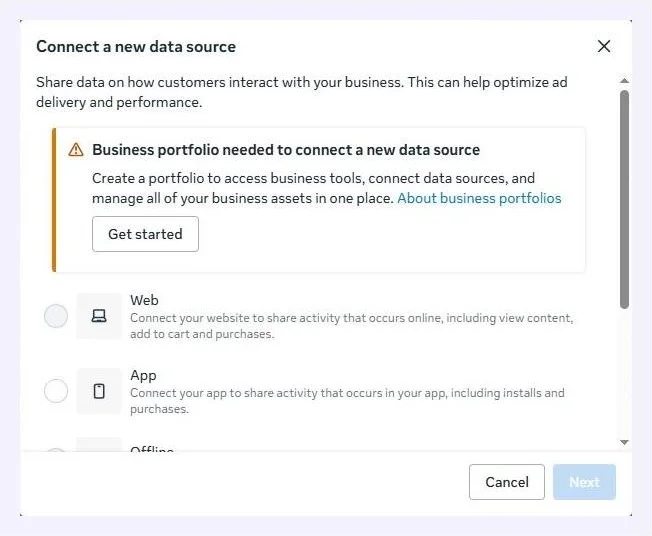
The fix was dull: put the ad account inside the portfolio first, then set up the pixel. If you’re following our Meta Pixel setup guide, do this step before it.
One more surprise for new portfolios. Ours, created on 14 June 2026, still shows an ad account creation limit of 1.
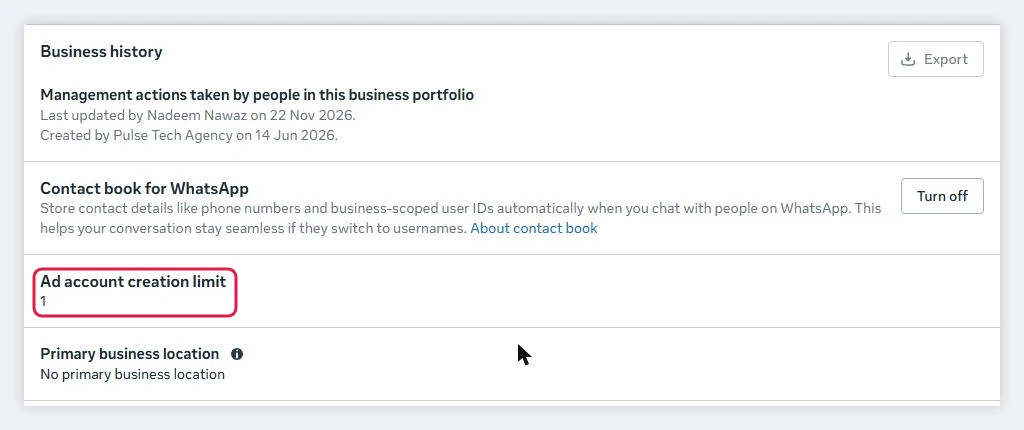
New portfolios start small. Meta raises the limit based on your spending history and whether your accounts stay in good standing, so don’t waste your one slot on a throwaway account you’ll never use again.
Full access vs partial access: who should get what?
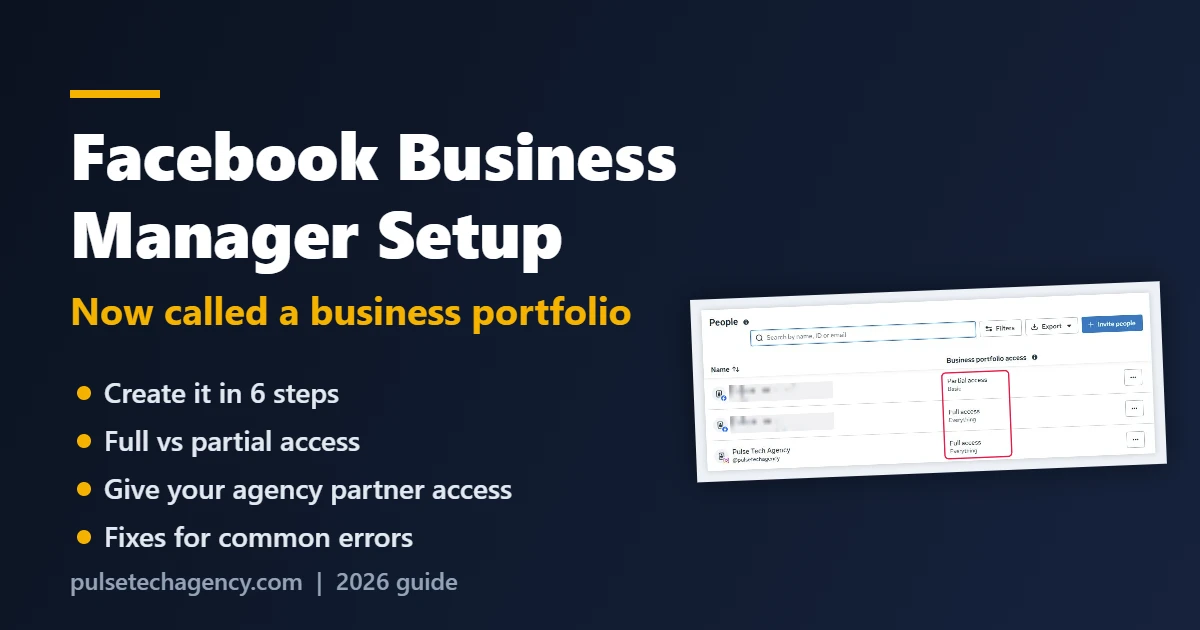
Every person in the portfolio gets one of two levels. Full access means they can change anything, including who else gets in. Partial access means they only work on the assets you assign to them.
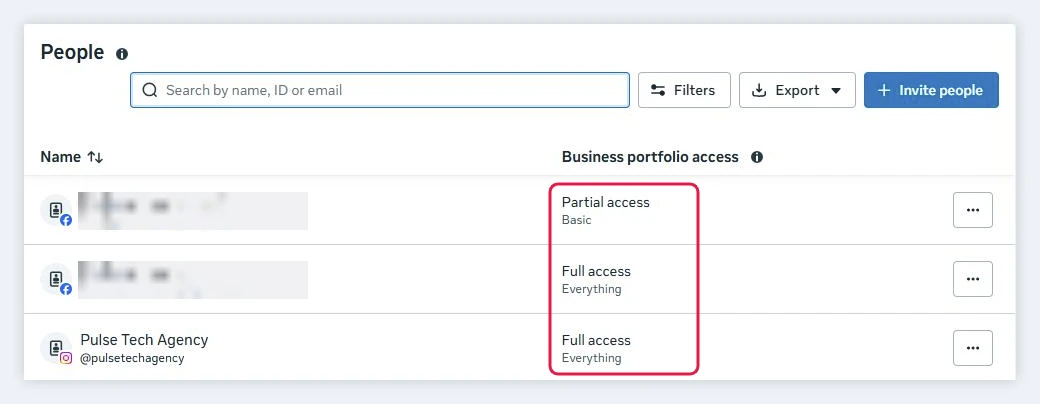
Our working rule: full access for the owner and one backup person. Everyone else gets partial access.
Now the part that confuses people. Add someone with partial access, forget to assign an ad account, and this is all they see.
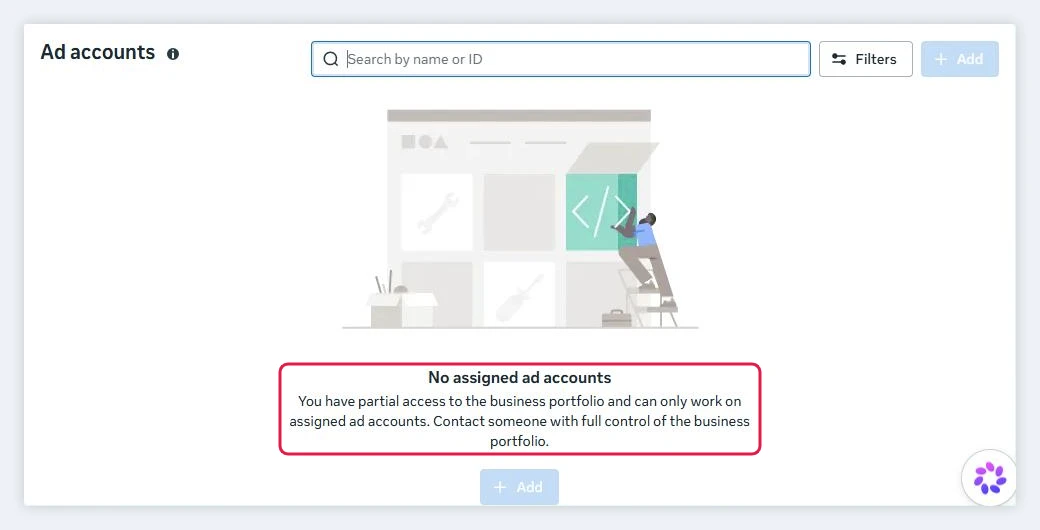
Is something broken? No. They’re in the portfolio, but nobody gave them an asset, and Meta shows an empty screen instead of an error message, which is why it feels like a bug. Open People, click their name, and assign the Page or ad account with the right permission.
Inviting someone works in three steps: email, assets, review.
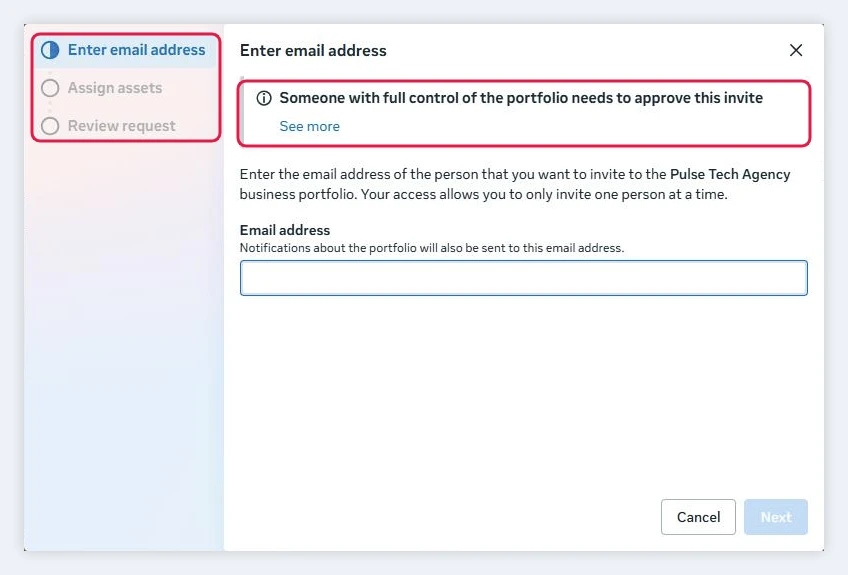
Notice the blue note at the top. If a person with partial access sends the invite, someone with full control has to approve it. So if your staff member says “I invited him,” check your requests.
How to give your agency access without giving away your account
Don’t add your agency’s staff one by one. Add the agency’s own business portfolio as a partner.
- Ask the agency for its business portfolio ID.
- In Settings, go to Users > Partners > Add. You need full control to see this menu.
- Paste the ID and pick the assets to share: Page, ad account, pixel.
- Choose the permission for each asset.
The agency then assigns its own team inside its portfolio. When you stop working together, you remove one partner and every one of their people loses access at once, with no hunting for old staff accounts you forgot to remove. (Meta’s partner guide.)
What you never do: let an agency create your ad account inside their portfolio. The account, its history and its pixel data would belong to them. We cover what that costs when you switch agencies in our guide to Facebook ads management cost in Pakistan.
Need your own ID to share? It’s on Business info, right under the portfolio name.
Settings to fix right after setup
While writing this guide we checked our own portfolio. It showed Primary Page: None.
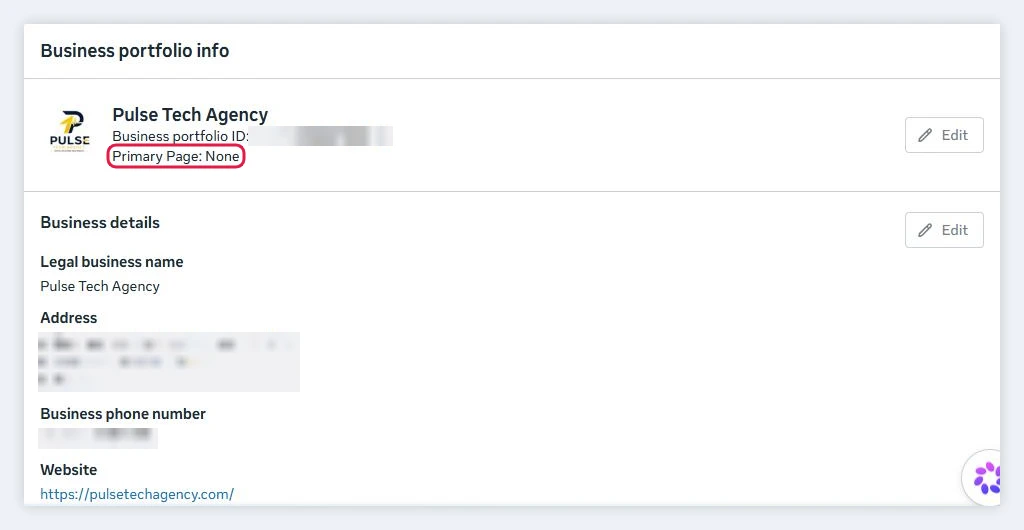
Easy to miss, easy to fix. Without a primary Page, Meta has no single Page to treat as the face of your business. Here’s the short list we now run on every new portfolio:
- Primary Page: set it on Business info, so Meta knows which Page represents the business.
- Business details: legal name, address, phone and website should match your website and Google profile exactly.
- Two-factor authentication: under Business options, require it for everyone. Meta lists it in its security best practices, and it means a stolen password on its own is no longer enough for someone to walk into your Pages and ad accounts.
- People list: remove anyone who has left the business.
- Business verification: Meta may ask for it before unlocking some features, such as higher WhatsApp messaging limits. Keep your registration documents handy.
Common Facebook Business Manager problems (and fixes)
“Business portfolio needed.” Your ad account or pixel isn’t inside a portfolio. Add it under Accounts, then try again.
“You can’t create more business portfolios.” You’ve used your 2. Ask someone in the business to create it and add you, or use a portfolio you already have.
“This Page belongs to another business portfolio.” An old agency or freelancer may own it. Ask them to remove it from their portfolio, or request access from them.
“No assigned ad accounts.” You have partial access with no assets. Ask someone with full control to assign them.
Ad account suddenly disabled? That’s a separate problem with its own steps. See what to do when your Facebook ad account is disabled.
Portfolio clean? Then you’re ready for campaigns. Our Meta ads guide picks up from here. If you’d rather have it set up and run for you, our Facebook ads management service works inside your own portfolio, so ownership stays with you.
Frequently asked questions
Is Facebook Business Manager free?
Yes. Creating a business portfolio and using Meta Business Suite costs nothing. You only pay for the ads you run.
Is Business Manager the same as Meta Business Suite?
Not quite. The business portfolio (old name: Business Manager) holds your assets and permissions. Meta Business Suite is the tool you open to manage it, post content and answer messages.
How many business portfolios can I create?
You can personally create up to 2. You can be a member of any number of portfolios that other people create.
Can one Page be in two business portfolios?
No. A Page or ad account belongs to one portfolio only. Other businesses can still get access to it as partners.
Where do I find my business portfolio ID?
In Business Suite, open Settings, then Business info. The ID sits just under your portfolio name.
Do I need a business portfolio to run Facebook ads?
For a single boost, no. For a proper setup with a pixel, more than one person, or an agency, yes. Without it, tools like Events Manager can block you, as it did for us.