
Meta ads are the paid ads you run on Facebook, Instagram, Messenger, WhatsApp and Threads from one tool, Meta Ads Manager. You choose a goal, such as leads or sales, set a budget in rupees, and Meta shows your ad to the people most likely to take that action. In Pakistan you can start from about Rs 280 a day.
That is the short answer. The rest of this guide explains how Meta ads actually work in 2026, how to set up a campaign that brings enquiries instead of likes, and where most Pakistani businesses lose money. Each section links to a deeper guide if you want the full detail on one part.
Key takeaways
- Meta ads run on Facebook, Instagram, Messenger, WhatsApp and Threads from one campaign in Meta Ads Manager.
- The highest bid does not always win. A clear, relevant ad with a lower bid often gets cheaper results.
- Pick the objective that matches what you want. For enquiries choose Leads, for online sales choose Sales.
- Give each campaign at least 7 days and about 50 results before judging it.
- In Pakistan, most small businesses need Rs 15,000 to Rs 50,000 a month in ad spend for useful results.
Written by Iqra Sabir, Founder & CEO of Pulse Tech Agency. Last updated: 19 November 2026.
What’s in this guide
- What are Meta ads?
- How do Facebook ads work?
- Boosting a post vs running ads in Ads Manager
- Campaign, ad set and ad: how Meta ads are structured
- Choosing the right campaign objective
- Targeting: who sees your ads
- Ad formats that work in Pakistan
- Tracking: the Meta Pixel and Conversions API
- How much do Meta ads cost in Pakistan?
- What you need before you start
- How to run your first Meta ads campaign
- Reading your results
- Common problems and how to fix them
- Meta ads for Pakistani industries
- Should you run Meta ads yourself or hire an agency?
- Frequently asked questions
What are Meta ads?
Meta ads are paid placements across every app Meta owns. “Facebook ads” is the older name, and most people still use it, but the same campaign can now appear in many places at once:
- Facebook: Feed, Stories, Reels, Marketplace, search results and in-stream video
- Instagram: Feed, Stories, Reels, Explore and search
- Messenger: ads in the inbox and sponsored messages
- WhatsApp: ads in the Status (Updates) tab, plus click-to-WhatsApp ads that open a chat with your business
- Threads: ads in the Threads feed, now available to most advertisers
- Audience Network: ads inside other apps and websites that partner with Meta
For a Pakistani business, this matters for one reason: your customers are already on these apps every day. A clothing brand in Lahore, a dental clinic in Rawalpindi and an academy in Karachi can all reach buyers in their own city, at a cost they control, without waiting months for search rankings.
Meta ads are different from Google ads in one important way. On Google, people search for what they want. On Facebook and Instagram, your ad reaches people while they scroll, before they go looking. That makes Meta ads strong for creating demand and weaker for catching someone at the exact moment they search. If you are deciding between search and social for a local business, our guide on Google Ads vs SEO for Rawalpindi businesses explains how search works.
How do Facebook ads work?
Every time someone opens Facebook or Instagram, Meta runs an auction for the ad slots in front of them. Your ad competes with every other ad that wants to reach that person, and the highest bid does not automatically win.
Meta gives each ad a total value score built from three things:
- Your bid: how much you are willing to pay for the result you chose. In most campaigns Meta sets this for you.
- Estimated action rate: Meta’s prediction of how likely this person is to take your action, such as filling a form or sending a WhatsApp message.
- Ad quality: how people react to your ad, including negative signals like hiding it or reporting it, and whether the ad uses clickbait.
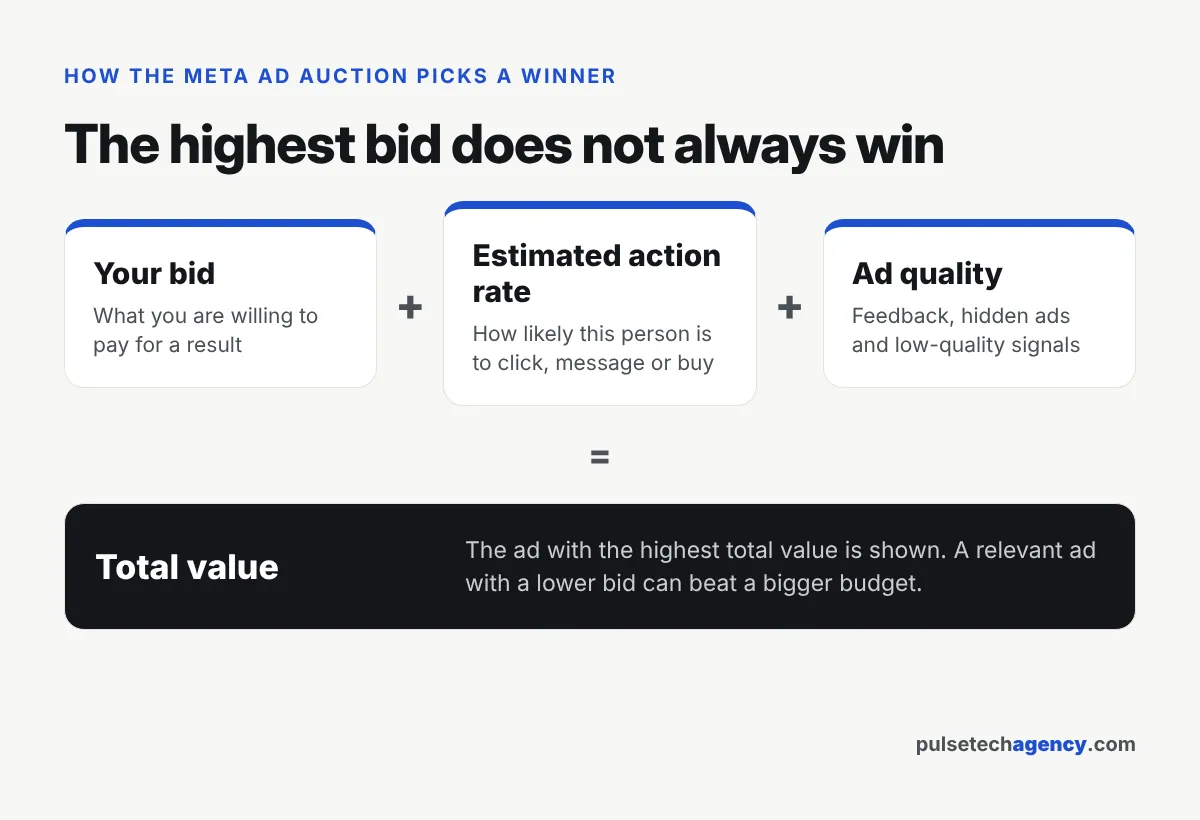
The ad with the highest total value wins the slot. In practice this means a clear, useful ad with a lower bid often beats a bigger budget with a weak ad. When clients ask us why a competitor gets cheaper leads, the answer is usually the creative and the offer, not the budget. You can see exactly what your competitors are running with our guide to the Facebook Ads Library.
The learning phase
When you launch a new ad set, Meta spends the first days testing who responds. This is the learning phase. It usually ends once the ad set gets about 50 results in 7 days. During learning, costs jump around and results look uneven.
Two things follow from this. First, do not judge a campaign on day two. Second, every big edit (new audience, new optimisation goal, a large budget change) can restart learning. If your budget is so small that you will never reach 50 results a week, Meta shows “Learning limited”. Your ads still run, but Meta has less data to work with. When a campaign is working and you want more results, our guide on how to scale Facebook ads shows how to raise the budget without restarting learning.
Boosting a post vs running ads in Ads Manager
The blue Boost button on your Facebook or Instagram post is the quickest way to spend money on Meta, and usually the most wasteful. Boosting picks simple goals like engagement or profile visits, gives you limited targeting and almost no tracking.
| Boost post | Meta Ads Manager | |
|---|---|---|
| Goal options | Engagement, messages, profile visits, website visits | All six objectives, including Leads and Sales |
| Targeting | Basic location, age, interests | Custom audiences, lookalikes, retargeting, Advantage+ audience |
| Placements | Mostly Feed | Every Facebook, Instagram, Messenger, WhatsApp and Threads placement |
| Tracking | Likes and reach | Pixel, Conversions API, cost per lead, cost per sale |
| Testing | One post at a time | Several ads and audiences tested together |
Boosting is fine for one thing: giving a good organic post extra reach for a day or two. For leads and sales, use Meta Ads Manager. The rest of this guide assumes you do.
Campaign, ad set and ad: how Meta ads are structured
Every Meta campaign has three levels, and each level controls different settings. Getting this structure right is the first thing we check in any ad account audit.
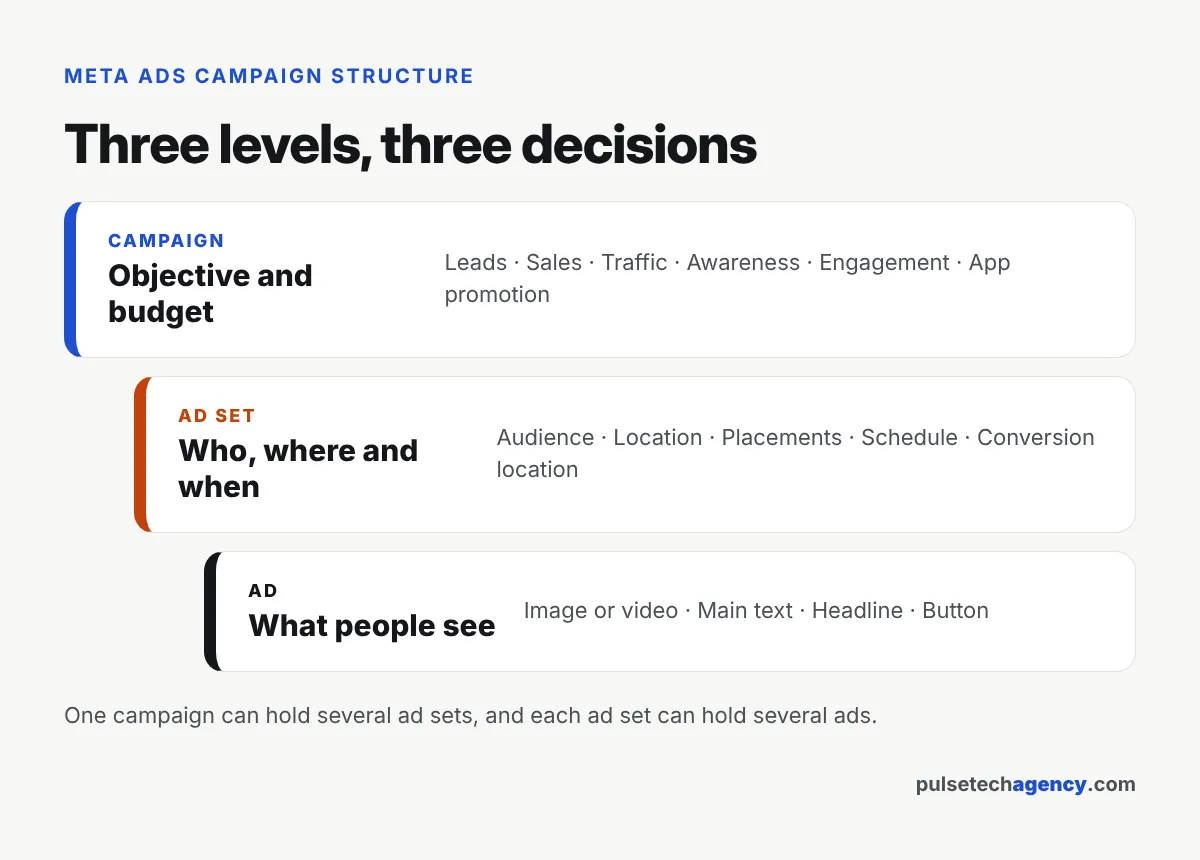
- Campaign: this is where you choose your objective (what you want: leads, sales, traffic). If you use Advantage+ campaign budget, the budget also lives here.
- Ad set: this is where you choose who sees the ads (location, age, audience), where they appear (placements), when they run (schedule) and how much you spend (budget, if not set at campaign level).
- Ad: this is what people actually see: the image or video, the text, the headline and the button.
A simple account for a small business in Pakistan often needs only one campaign, one or two ad sets and three to five ads. More ad sets split your budget into pieces too small for Meta to learn from. With a Rs 30,000 monthly budget, four ad sets each get about Rs 250 a day, which is rarely enough to exit learning.
Bid strategies in plain words
Meta offers a few ways to bid, and new advertisers should usually start with the default:
- Highest volume: Meta gets as many results as it can for your budget. This is the default and the right choice for most new campaigns.
- Cost per result goal: you tell Meta the average cost you are happy with, for example Rs 500 per lead. Useful once you know your normal costs.
- ROAS goal: for online stores, you set the return you want from sales. Only works well with steady purchase data.
- Bid cap: a hard limit on each bid. Mostly for experienced advertisers, because it can stop delivery completely if set too low.
Advantage+ campaign budget (formerly CBO)
With Advantage+ campaign budget, you set one budget at campaign level and Meta moves money to whichever ad set is getting the cheapest results that day. With ad set budgets, you fix the amount for each ad set yourself. For most small accounts, campaign budget is the better default, because it stops a weak ad set from eating money that a strong one could use.
Choosing the right campaign objective
Meta has six campaign objectives, and the one you pick decides who Meta shows your ad to. Two campaigns with the same audience, budget and ad will reach very different people if one is set to Traffic and the other to Leads. You choose it in the first screen after clicking Create in Ads Manager.
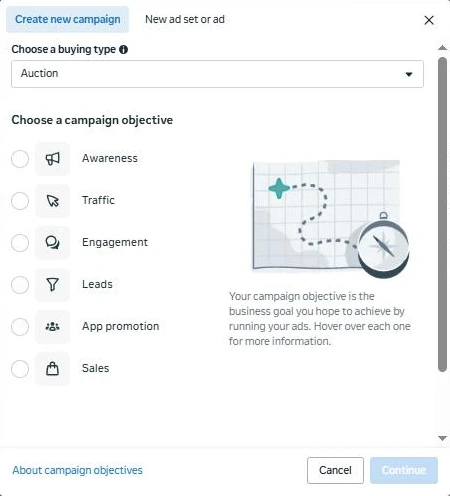
| Objective | What Meta looks for | Use it when |
|---|---|---|
| Awareness | People likely to remember your ad | Launching a new brand or shop in a city |
| Traffic | People likely to click a link | Sending visitors to a page or a blog post |
| Engagement | People likely to like, comment, watch video or message you | Building an audience you will retarget later, or getting WhatsApp chats |
| Leads | People likely to fill a form, call or message | Clinics, schools, real estate, any service business |
| App promotion | People likely to install your app | Only if you have an app |
| Sales | People likely to buy | Online stores with the Meta Pixel set up |
The most common mistake we see is a service business running Traffic or Engagement campaigns and wondering why the phone does not ring. Meta does exactly what you ask: Traffic brings clickers, not buyers. If you want enquiries, choose Leads. If you sell online and your tracking works, choose Sales.
The objective is locked once the campaign is created. To switch, you build a new campaign, and it starts learning from zero.
Targeting: who sees your ads
Meta has moved a long way towards automatic targeting. In 2026, the system usually finds buyers better than a narrow list of interests does, especially once your tracking feeds it good data. You still control the parts that matter.
Location
Location is the one setting you should always set carefully. A Rawalpindi clinic should target Rawalpindi and Islamabad, not “Pakistan”. A Karachi restaurant can target a 5 to 8 km radius around the branch. Use “People living in or recently in this location” so you are not paying for people who only passed through once.
Custom audiences
Custom audiences are people who already know you:
- People who visited your website (needs the Meta Pixel)
- People who watched your videos or engaged with your Facebook or Instagram page
- People who messaged you on WhatsApp, Messenger or Instagram
- Your customer list, uploaded as phone numbers or emails
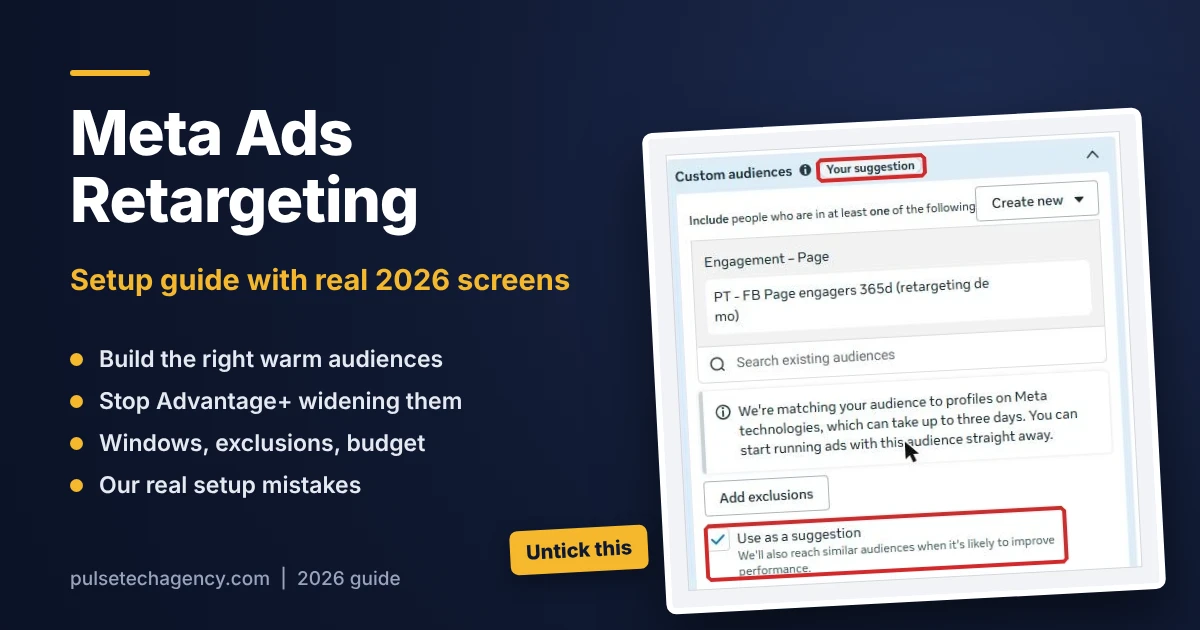
These are your warmest audiences. They are the base for Meta ads retargeting, which usually brings the cheapest leads in an account.
Lookalike audiences
A lookalike audience asks Meta to find people similar to one of your custom audiences, for example “people like my last 500 customers”. In Pakistan, a 1% to 3% lookalike of real buyers is often a strong starting audience.
Advantage+ audience
With Advantage+ audience, you give Meta suggestions (age, interests, a custom audience) and Meta is free to go beyond them when it finds better buyers. For most accounts with working tracking, this now matches or beats manual interest targeting. Keep hard limits only for things that truly matter, like location and minimum age.
Ad formats that work in Pakistan
Your ad creative now does most of the targeting work. Meta reads the image, video and text to decide who the ad is for, so a clear ad aimed at one type of buyer finds those buyers faster.
- Image ads: one strong photo with the offer in a few words. Best for simple offers and quick tests.
- Video and Reels ads: short vertical videos, 9:16, usually 15 to 30 seconds. Reels now carries most of the reach on Instagram, so most accounts should have at least one vertical video running.
- Carousel ads: 2 to 10 cards that people swipe through. Good for showing several products, property options or before-and-after results. See our Facebook carousel ads guide for specs and examples.
- Catalog ads: product ads that pull items from your Shopify or WooCommerce catalog and show each shopper the items they viewed.
- Collection ads: a cover image or video with products underneath that opens a full-screen shop. Mostly for e-commerce brands with a catalog.
- Lead form ads (instant forms): a form opens inside Facebook or Instagram and collects name and phone number without a website. This is the format most service businesses in Pakistan start with.
- Click-to-WhatsApp ads: the button opens a WhatsApp chat with your business. Pakistani buyers often prefer this to a form, because they can ask the price first.
| Format | Best for | Objective to pair it with |
|---|---|---|
| Image | Quick tests, simple offers, price promotions | Leads, Traffic, Sales |
| Video and Reels | Showing a place, a product in use or a person explaining | Awareness, Engagement, Leads |
| Carousel | Several products, properties or services in one ad | Sales, Traffic |
| Catalog | Online stores with many products | Sales |
| Collection | Shoppable full-screen experience for e-commerce | Sales |
| Lead form | Service businesses that want phone numbers | Leads |
| Click-to-WhatsApp | Buyers who want to ask the price before they commit | Leads, Engagement, Sales |
Meta also offers Advantage+ creative, which can automatically adjust brightness, crop images for each placement, add music or create text variations. Turn on the small enhancements, check the previews, and switch off any that change your offer or brand style.
Learn from the Meta Ads Library
The Meta Ads Library shows every active ad running on Facebook and Instagram, including your competitors’. Search a competitor’s page name, filter by Pakistan, and look at which ads have been running for weeks. An ad that has been live for a long time is usually one that works.
What makes an ad convert here
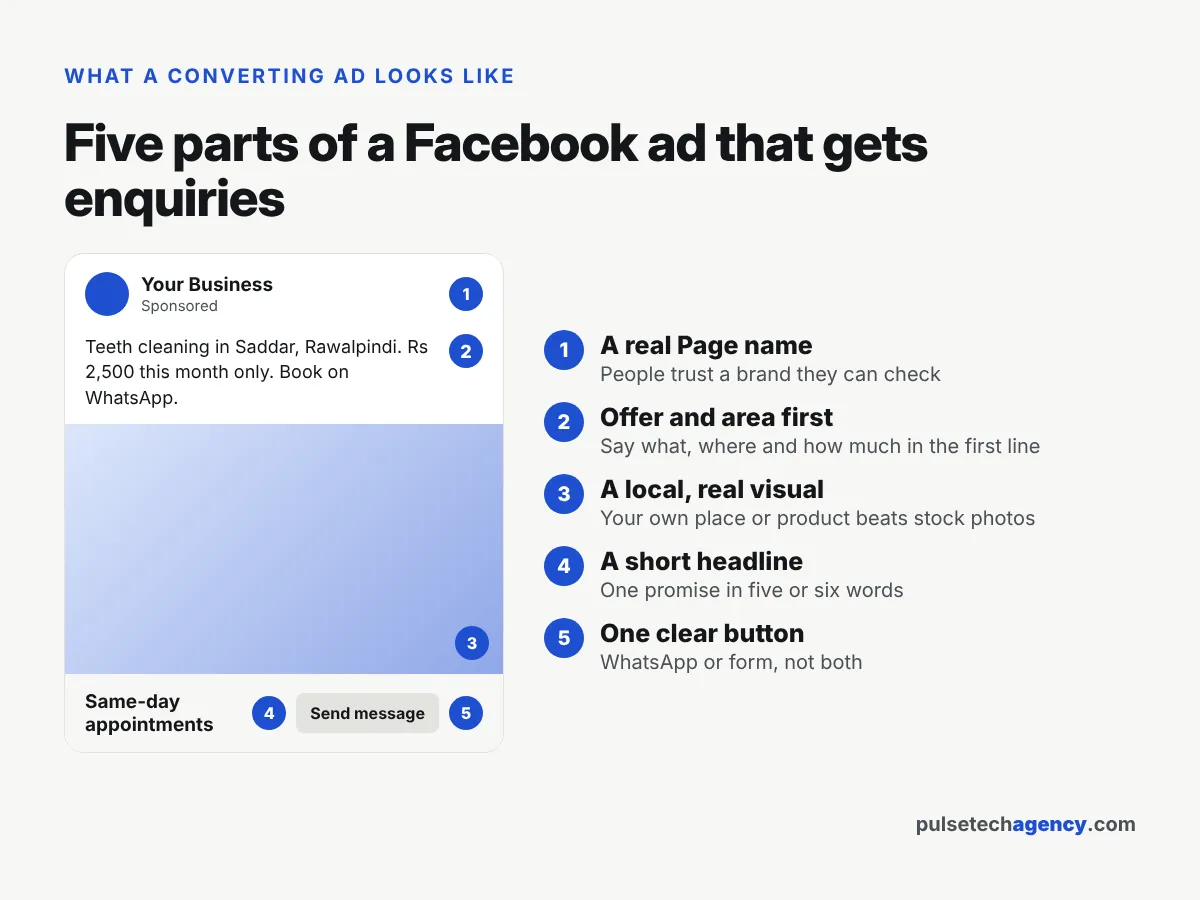
From the campaigns we run, a few things make the biggest difference in Pakistan:
- Show the price or the offer early. Buyers here scroll fast and compare prices. “Rs 2,500 teeth cleaning this month” beats “Best dental care in Rawalpindi”.
- Write in the language your buyers use. Urdu or Roman Urdu captions often get cheaper results than English for local services, while English works better for corporate and B2B.
- Show real people and real places. A short video filmed in your clinic, shop or site usually beats a polished stock image.
- Reply fast. A lead that waits three hours for a WhatsApp reply is often gone. The ad is only half the job.
A real result from one of our accounts
Here is a click-to-WhatsApp campaign we are running right now for a trading business that serves Rawalpindi and Islamabad. The screenshot is taken straight from Ads Manager.

In its last 30 days, the campaign spent Rs 1,547 and started 178 WhatsApp conversations, which works out to about Rs 8.69 per chat, from just under 21,000 impressions. That is well below the Rs 20 to Rs 50 per chat many local businesses pay. The setup is simple: targeting limited to the two cities the business actually serves, and WhatsApp as the only way to respond. A chat is not a sale, so the next number to track is how many of those chats become orders. We have kept the client’s name private.
Tracking: the Meta Pixel and Conversions API
Tracking tells Meta which ads bring real results, and without it, Meta can only optimise for clicks. This is the single biggest difference between accounts that grow and accounts that stall.
- Meta Pixel: a small piece of code on your website that reports actions like page views, form submissions and purchases back to Meta. Our Meta Pixel setup guide walks through the install step by step.
- Conversions API: sends the same actions from your website’s server, so results are still counted when browsers or phones block the Pixel.
Use both. On WordPress and Shopify, official plugins and apps set this up without coding. For lead form and WhatsApp ads, the results are recorded inside Meta automatically, but you should still mark which leads became paying customers, so Meta learns the difference between a real buyer and a time waster.
How much do Meta ads cost in Pakistan?
You can start Meta ads from about Rs 280 a day, and most small businesses in Pakistan get useful results with Rs 15,000 to Rs 50,000 a month in ad spend. A click usually costs Rs 5 to Rs 40, and a lead from a form ad usually costs Rs 300 to Rs 1,500.
Your real cost depends on your industry, your city, the season (Eid and wedding season are expensive) and above all your ad quality. Paying Meta in dollars with a Pakistani card also adds bank charges and advance tax, which many businesses forget to budget for.
A worked budget example
Say you run a clinic in Rawalpindi and your leads cost about Rs 500 each.
- With Rs 1,000 a day (about Rs 30,000 a month), you can expect roughly 2 leads a day, or around 60 leads a month.
- To leave the learning phase, Meta wants about 50 results in 7 days. At Rs 500 a lead, that needs about Rs 3,600 a day. With Rs 1,000 a day, the ad set will show “Learning limited”. It will still bring leads, but costs will move around more.
- If 1 in 6 leads books an appointment, 60 leads become about 10 patients. A Rs 30,000 budget then costs about Rs 3,000 per new patient. Compare that with what one patient is worth to you over a year.
This is why we tell small businesses to keep one ad set, one clear offer and a steady budget, rather than splitting Rs 30,000 across five campaigns.
We break down every number, the hidden charges and example budgets by business type in our full guide: Facebook Ads Cost in Pakistan (2026).
What you need before you start
Before your first campaign, get these ready. Most setup problems we fix for new clients come from skipping one of them.
- A Facebook Page for your business, and ideally an Instagram professional account connected to it
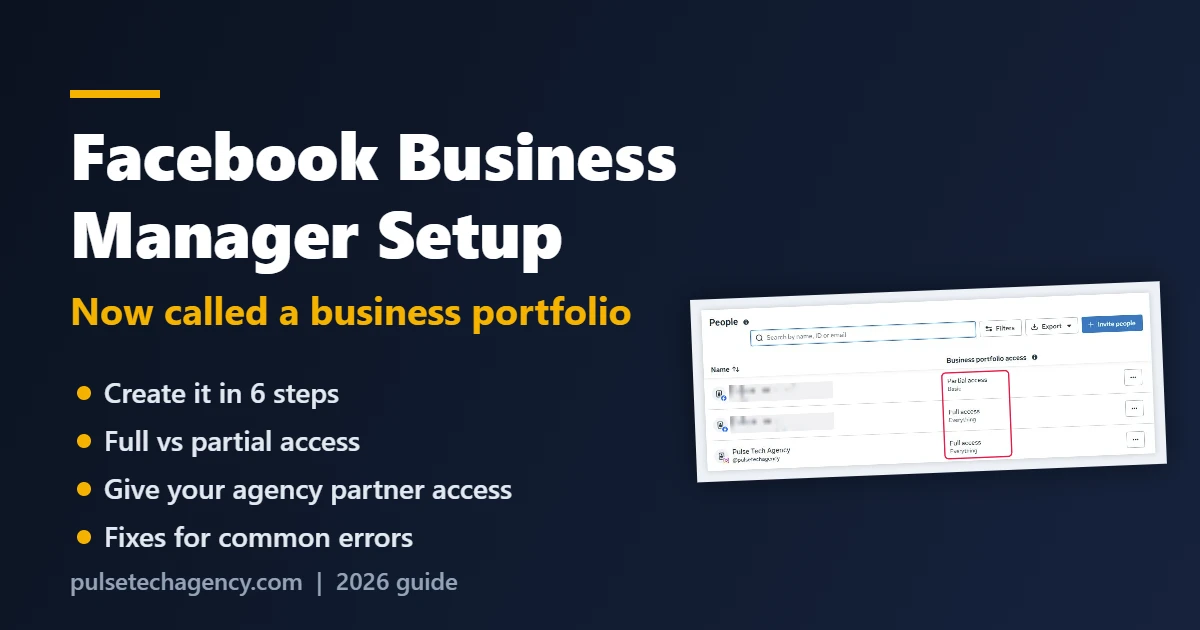
- A business portfolio in Meta Business Suite (the new name for Business Manager), which owns your Page, Instagram account and ad account
- A payment method that works for international payments. Many Pakistani debit cards block these by default, so ask your bank to enable online international transactions first
- A verified domain if you send people to your website. Domain verification proves you own the site and is needed for some tracking and link settings
- A WhatsApp Business number if you plan to run click-to-WhatsApp ads
Ads Manager or Business Suite? Meta Business Suite is where you manage your Page, inbox and posts, and it can create simple ads. Meta Ads Manager is the full advertising tool with every objective, audience and report. Use Business Suite for daily page work and Ads Manager for campaigns.
How to run your first Meta ads campaign
Here is the setup we use for a new service business, in the same order Ads Manager shows the settings. Each step takes a few minutes once your accounts are ready.
- Click Create in Ads Manager. Open Meta Ads Manager, choose your ad account and click Create. Leave the buying type on Auction, which is what almost every advertiser uses.
- Choose the objective. Pick Leads for enquiries or Sales for an online store. Give the campaign a name you will recognise later, for example “Leads | Rawalpindi | Teeth cleaning | Nov”.
- Declare a special ad category if needed. If your ad is about credit or loans, jobs, housing or social and political issues, tick the matching category. Meta then limits some targeting options for those ads.
- Set the budget. Turn on Advantage+ campaign budget and set a daily budget you can keep for at least two weeks. Leave the bid strategy on Highest volume for your first campaign.
- Choose the conversion location. At ad set level, choose where leads go: Instant forms, WhatsApp, Messenger, Calls or Website.
- Set the audience. Add your location carefully, set the minimum age, and leave Advantage+ audience on. Add a custom audience as a suggestion if you have one.
- Keep Advantage+ placements on. Meta then shows your ad wherever it gets the cheapest results across Facebook, Instagram, Messenger, WhatsApp and Threads.
- Pick your Page and Instagram account. At ad level, check that the right Facebook Page and Instagram account are selected, so your ads show your brand name.
- Add three to five ads. Use different angles: one price-led image, one short vertical video, one carousel. Write the main text, a short headline and choose a button such as Send WhatsApp message, Learn more or Get quote.
- Build the form or chat. For an instant form, ask for name, phone and one qualifying question, such as budget or preferred branch. For WhatsApp, write a greeting and quick replies for price, location and timings.
- Check tracking. If you send people to a website, make sure the Meta Pixel and Conversions API are active and the right event (Lead or Purchase) is selected.
- Publish and wait. Meta reviews most ads within 24 hours. Leave the campaign alone for at least 7 days unless something is clearly broken, then judge it on cost per result and lead quality.
Reading your results
Ads Manager shows dozens of columns. For most businesses, these are the numbers that matter:
| Metric | What it tells you | What to watch for |
|---|---|---|
| Cost per result | What you pay for each lead, chat or sale | The main number. Compare it with what a customer is worth to you |
| CTR (link click-through rate) | How many people who see the ad click it | Below 1% usually means the ad or offer is not grabbing attention |
| CPC (cost per click) | What each click costs | Rising CPC with falling CTR means the ad is getting tired |
| CPM (cost per 1,000 views) | What reach costs | Jumps in Ramadan, Eid and other busy seasons |
| Frequency | How many times the same person saw your ad | Above 3 to 4 in a week, people start ignoring it |
| ROAS (return on ad spend) | Sales value divided by ad spend | For online stores. A ROAS of 3 means Rs 3 back for every Rs 1 spent |
The most useful habit is simple: once a week, compare cost per result with how many of those leads actually became customers. A Rs 400 lead that never answers the phone is more expensive than a Rs 900 lead that books. Our free Facebook ads report template does that maths for you.
Common problems and how to fix them
Most Meta ads problems fall into a few groups.
Your ad is not delivering
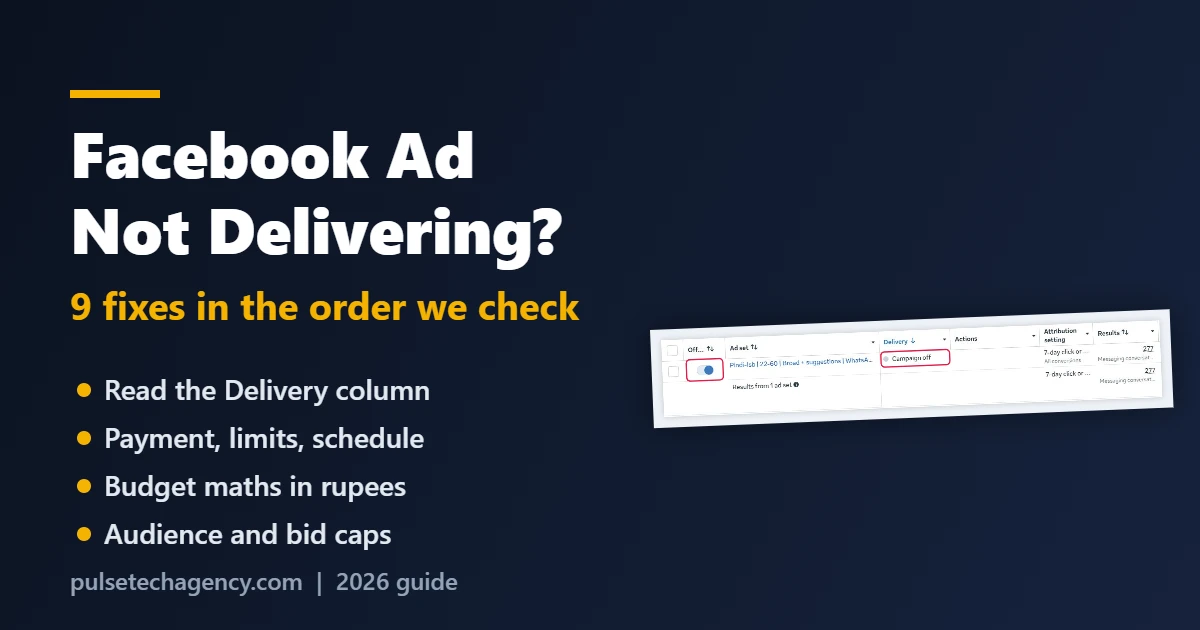
If your ad says “Not delivering” or spends almost nothing, the usual causes are a budget that is too small for the audience, an audience that is too narrow, an ad still in review, or a payment problem. Check the delivery column in Ads Manager first; it usually tells you which one.
Your ad was rejected
Meta rejects ads that break its advertising standards: personal claims (“Are you overweight?”), before-and-after images for some health and beauty topics, misleading prices, or restricted products. Edit the ad to remove the issue, or request a review if you think the decision is wrong.
Your ad account is disabled or restricted
This is one of the most common problems we see in Pakistan, often after a payment failure, a sudden large budget jump on a new account, or a policy flag. Do not open a new account right away; that can make things worse. Go to Account Quality in Meta Business Suite, read the reason and request a review.
Meta ads for Pakistani industries
The basics stay the same, but each industry needs a different offer, format and audience.
- Real estate: project walkthrough videos and lead form ads for buyers in DHA, Bahria Town and new societies. Qualify leads with a budget question in the form.
- Clinics and dentists: appointment campaigns with clear prices for common treatments. Health ads have stricter rules, so avoid personal claims.
- Schools and academies: admission campaigns timed to each intake, with lead forms that ask for the class or course.
- Restaurants and cafés: food Reels and click-to-WhatsApp ads aimed at a few kilometres around each branch.
- E-commerce stores: catalog and retargeting ads, with a Sales objective once the Pixel has enough purchases. Many Pakistani stores also test cash-on-delivery offers in the ad itself.
- Law firms and consultants: helpful video content and lead forms for specific services, with careful, professional wording.
Should you run Meta ads yourself or hire an agency?
You can run Meta ads yourself if you have the time to learn Ads Manager, make new creative every few weeks and check results a few times a week. Many small businesses start this way, and this guide gives you the structure to do it well.
An agency makes sense when ads are a real part of your sales, when you are spending Rs 50,000 a month or more, or when your account keeps hitting problems like rejections, disabled accounts or rising costs. A good agency should set up tracking properly, report cost per lead and cost per customer, and tell you plainly when something is not working. Before you compare quotes, see what Facebook ads management costs in Pakistan.
At Pulse Tech, we run Facebook and Instagram ads for businesses across Pakistan, from lead forms and WhatsApp campaigns to catalog ads for online stores. If you also need your pages run every month, see our social media management service, or our full social media marketing services.
Frequently asked questions
What are Meta ads?
Meta ads are paid ads that run across Facebook, Instagram, Messenger, WhatsApp, Threads and Meta’s Audience Network. You create and manage them in Meta Ads Manager, and one campaign can run on all of these apps at once.
Are Facebook ads and Instagram ads the same?
They run from the same system. When you create a campaign in Meta Ads Manager, you can place it on Facebook, Instagram or both, and Meta moves the budget to whichever brings cheaper results.
How much should I spend on Meta ads to start?
Meta lets you start from about Rs 280 a day, but for useful results most small businesses in Pakistan should plan for Rs 15,000 to Rs 50,000 a month, kept steady for at least two to four weeks.
How long does it take for Facebook ads to work?
Most campaigns get first results within a few days, but Meta’s learning phase needs about 50 results in 7 days to settle. Judge a campaign after two to four weeks, not after two days.
Which Meta ad objective is best for leads?
The Leads objective. It lets you collect enquiries through instant forms, calls, WhatsApp or Messenger, and Meta shows your ad to people most likely to get in touch.
Is Facebook Ads Manager the same as Meta Ads Manager?
Yes. Facebook Ads Manager is the old name. Meta Ads Manager is the same tool, renamed after Facebook became Meta, and it now runs ads for Instagram, Messenger, WhatsApp and Threads as well.
Can I run Facebook ads without a website?
Yes. Lead form ads collect details inside Facebook and Instagram, and click-to-WhatsApp ads open a chat with your business, so neither needs a website.
Do Meta ads work for small businesses in Pakistan?
Yes, when they are set up for the right goal. Most small businesses that struggle are boosting posts or running Traffic campaigns. Switching to a Leads or Sales campaign with clear offers and fast replies usually makes the biggest difference.